

Creating a New App
Creating an app project is the first step in building a new app in Draftbit. Get started by clicking the  button on the Dashboard.
Provide Details
Section titled “Provide Details”-
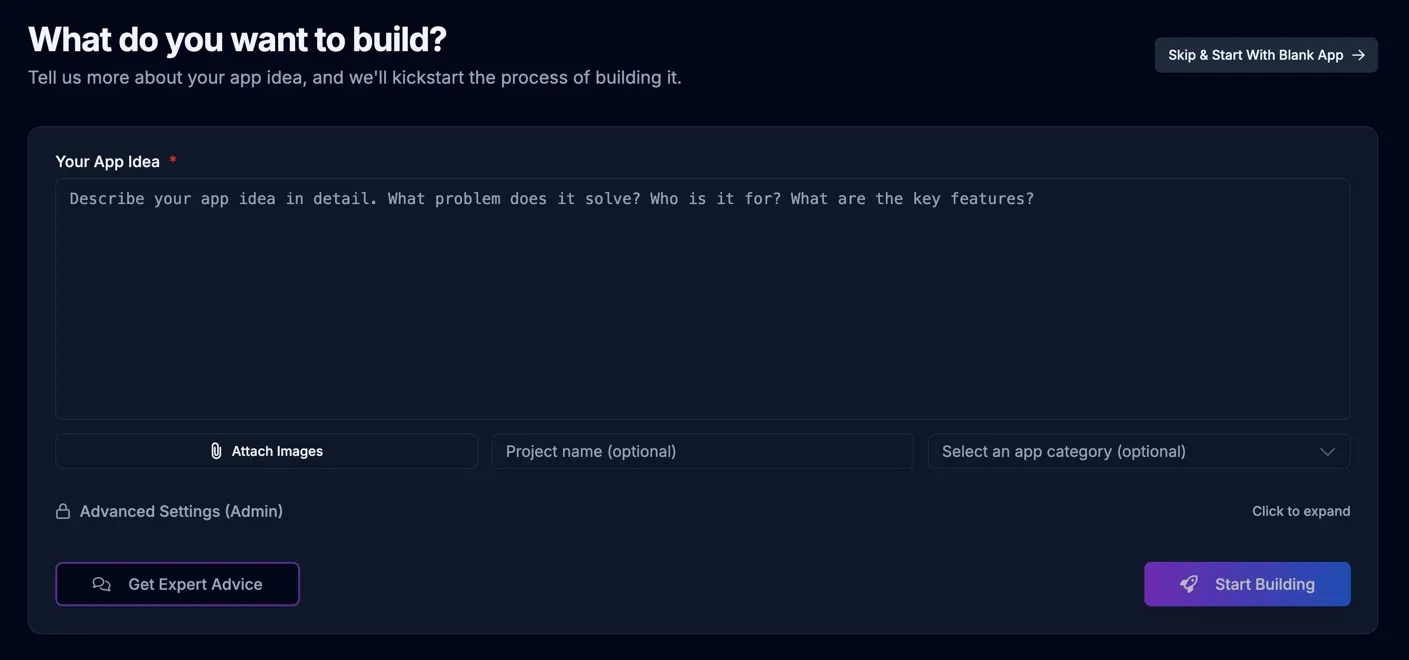
Your App Idea
Describe your app idea as a story about your app. Include things about your app like who the users will be and whether they’ll need to sign in, what kind of data you’ll need to store, and much more. Will you send push notifications or emails? Does the app require special calculations or business logic? This is where you really want to give the AI as much information about your app as possible.
Check out the Writing your initial prompt doc for helpful info.
-
Attach Images
Here you can upload any design images you have so that AI can incorporate them into it’s work when scaffolding the initial version of your app.
-
Project Name
Give your project a name that helps you and your teammates easily identify it in your workspace.
-
App Category
Choose a category that your app mostly closely aligns with. This will help the AI understand the type of app you’re trying to build.
-
Backend and Starter UI
For mobile apps, choose a Starter UI when prompted so the first build starts from a visual foundation. If your app needs a backend, enable Auto-create Supabase during creation so the agent can build against a database, auth, and storage from the beginning.
-
Click ‘Start Building’
The AI will analyze your description and create a detailed plan for your app, including screens, features, and data structure. You’ll then see your app being built in real-time, and you can make adjustments as needed.
Continue Building
Section titled “Continue Building”After the AI has built the initial version of your app it’ll take you into the Builder where you can continue chatting with the AI to build your app. Take a look at the Composing task prompts doc for helpful advice on getting the most our of your interactions with the AI.
Quick Start Templates
Section titled “Quick Start Templates”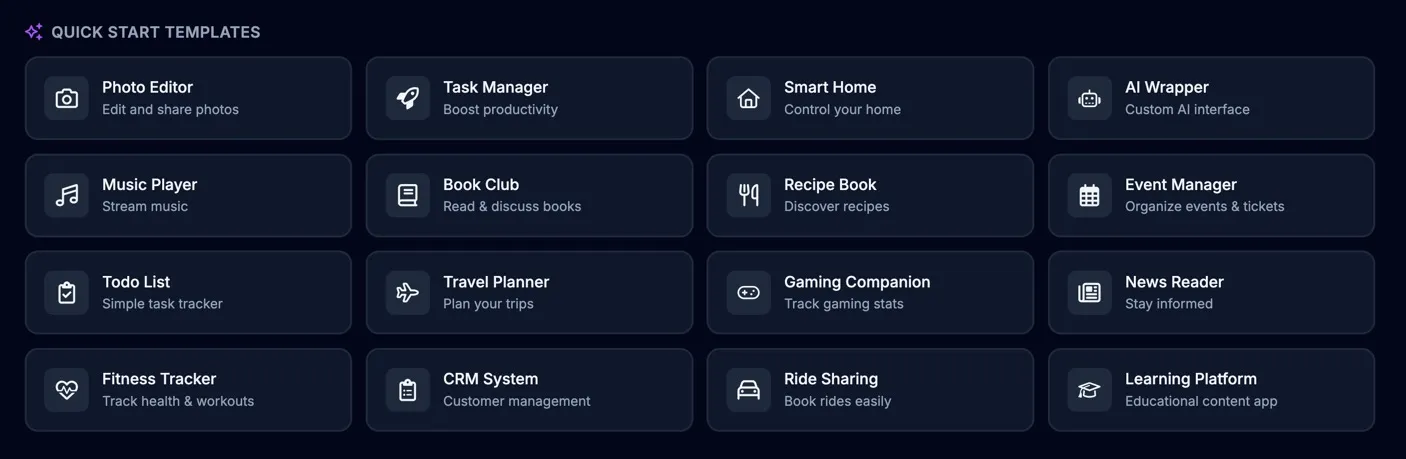
Get started from the Starter UI picker or a pre-built prompt for different types of apps. Starter UIs include polished screen previews so you can choose a visual foundation before the first build begins.
Common Questions
Section titled “Common Questions”How long does it take to build an app?
The initial app generation takes 2-5 minutes. After that, you can continue refining and adding features at your own pace. Most users have a working prototype within 30 minutes.
Can I use my own data and APIs?
Absolutely! You can connect to any REST API, GraphQL endpoint, or database. We also provide built-in integrations with popular services like Firebase, Supabase, and Airtable.