

Builder Overview
The Draftbit Builder is your workspace for turning app concepts into reality. It combines a Home view, visual editor, live preview, AI agent, code editor, integrations, build configuration, and publishing tools in one place.
To learn more about the different Builder views, follow the links below.
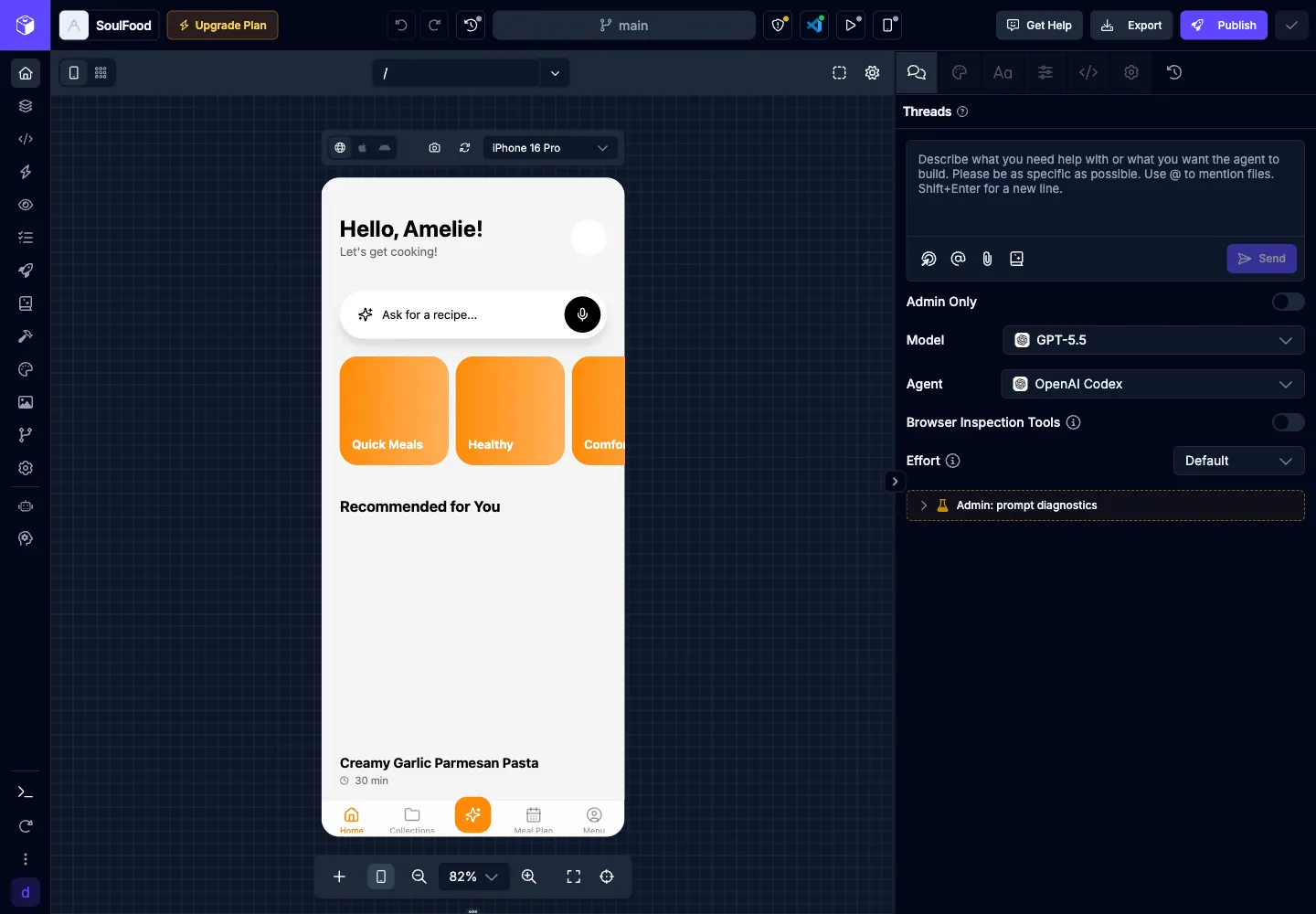
Main Menu
Section titled “Main Menu”You can access the main areas of the Builder from the project navigation on the left side of the Builder. The Home icon opens the default app workspace with the preview, agent, and editor panel available without opening the full screens/components layout.
| Icon | Action | Description |
|---|---|---|
 | Visual Editor | Visually design screens, components, and styles with AI assistance |
 | Code Editor | Edit your code directly using the built-in editor |
 | Preview | Test and preview your application as you build |
 | Assets | Cloud storage for your images, video, audio and other media files |
 | Publishing | Manage app publishing and deployments to web, iOS, and Android |
 | Integrations | Manage third-party service integrations for your app |
 | Build Config | Manage environment variables, packages, and build-time configuration |
 | Logs | View application logs and debug build/runtime errors |
 | Agent Config | Manage agent defaults, provider keys, saved prompts, and instructions |
 | Themes | Customize shared theme colors and typography for your app |
 | History | View project activity history and rollback changes |
 | Settings | Configure app identity, icons, app configuration, and project actions |
Mobile Builder
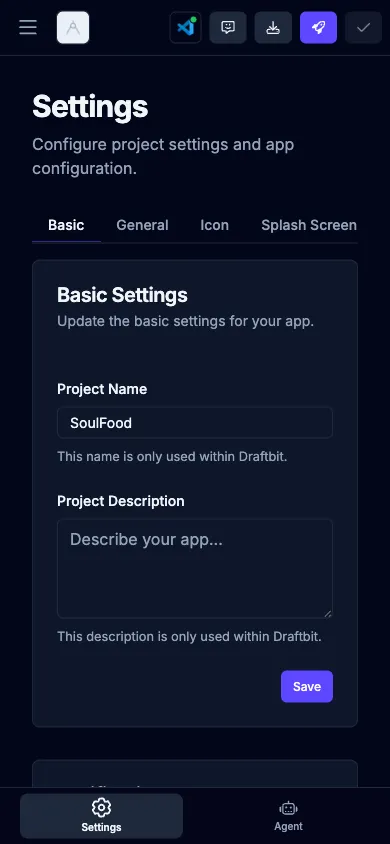
Section titled “Mobile Builder”On mobile-width screens, the Builder switches from the left project navigation to bottom tabs. The Home view includes Preview, Agent, Editor, and Account. The full Visual Editor also includes a Screens tab for the screens list and component tree.
Support Menu
Section titled “Support Menu”The bottom More menu groups helpful resources and secondary controls such as What’s New, Roadmap, Docs, Videos, Sandbox Status, and the light/dark theme switcher.
| Icon | Action | Description |
|---|---|---|
 | What’s New | View the latest product updates |
 | Roadmap | View and contribute to the platform roadmap |
 | Community | Ask questions and connect with other builders |
 | Docs | Learn about building apps using Draftbit |
 | Videos | Watch video tutorials, office hours, and more |
 | Sandbox Status | View the current sandbox, repository, and preview status for the app |
 | Dark/Light Mode | Switch between a dark and light Builder UI |
Top Bar
Section titled “Top Bar”The Top Bar runs across the top of the Builder and contains the actions you reach for most often:
- Save / Save History — Save and roll back changes. See Saving Changes.
- Live Preview — Open the QR-code launcher to preview the running app on a real iOS or Android device using the Draftbit Preview app.
- Native Builds — Create native development builds for iOS and Android.
- Publish — Open the publish popover with Progressive Web App, Apple App Store, Google Play Store, and Share options. See Publishing.
- Export — Download a zip of your codebase.
- Billing — Check your remaining credit balance and top up.
- Collaborator avatars — Live presence indicators for everyone currently viewing or editing the project.
- Get Help — Open the in-app support chat.