

Agent Instructions
Switch to Agent Instructions view using the
icon in the main menu.
The Agent Instructions view allows you to manage agent instructions, prompts, and defaults. This is useful for customizing the behavior of the AI Agent.
There’s two types of instructions you can manage - Saved Prompts and Base Knowledge.
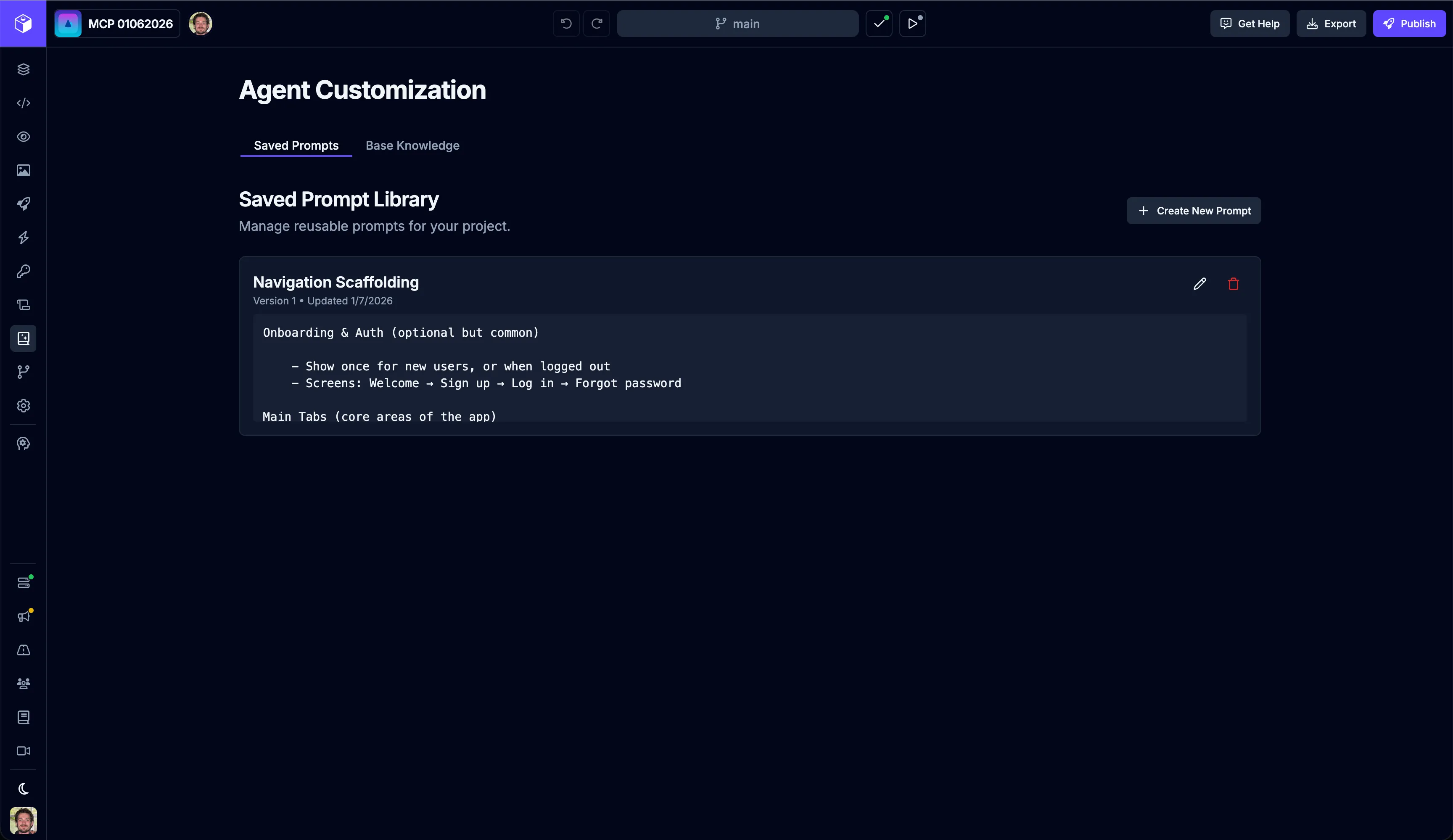
Saved Prompts
Section titled “Saved Prompts”Switch to Saved Prompts view using the
tab.
Saved Prompts are reusable prompts that you can use when sending a message to the agent. They can be used to set the context for the agent’s response or to provide additional instructions for the agent to follow.
Creating a New Prompt
Section titled “Creating a New Prompt”Create a new prompt by clicking the  button.
| Input | Description |
|---|---|
| Name | The name of the prompt. |
| Prompt | Description of the prompt. |
Fill in the details for the prompt and click the  button.
Editing a Prompt
Section titled “Editing a Prompt”Edit a saved prompt by clicking the  button.
| Input | Description |
|---|---|
| Name | The name of the prompt. |
| Prompt | Description of the prompt. |
Fill in the details for the prompt and click the  button.
Deleting a Prompt
Section titled “Deleting a Prompt”Delete a saved prompt by clicking the  button.
Using a Saved Prompt
Section titled “Using a Saved Prompt”You can use a saved prompt by clicking the  button in the AI Chat tab.
Base Knowledge (Coming Soon)
Section titled “Base Knowledge (Coming Soon)”Switch to Base Knowledge view using the
tab.
Base knowledge provides the agents with a detailed overview, description, and/or instructions for your project. When you create a new thread with the agent, it will use this as base knowledge about your project.
Best practices
- Focus on providing details the agents need to know about the tech stack, conventions, and key files of your project.
- Set any conventions or rules you want the agents to follow, for example “always use the existing component library before creating new components”.
- Don’t include future plans or ideas for the project. This is just base knowledge.
- Provide only the critical details and aspects of your project. Adding too much information can overwhelm and slow down the agent’s performance, while also driving up cost of each request. Experiment to find the right balance.