

Agent Customization
Switch to Agent Customization view using the
icon in the main menu.
The Agent Customization view allows you to manage default agent and models, reusable prompts, and agent instructions. This is useful for customizing the behavior of the AI Agent.
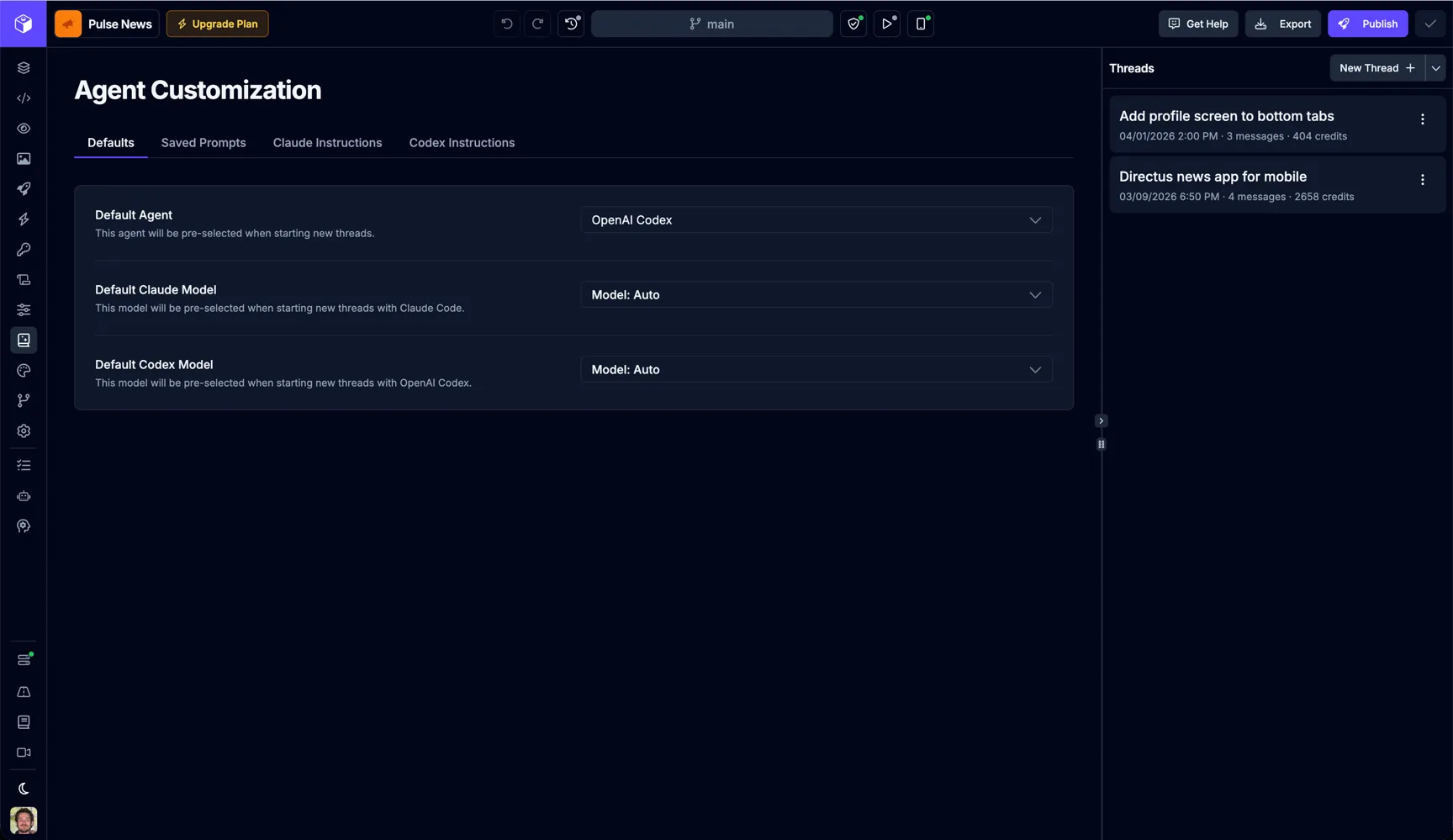
Defaults
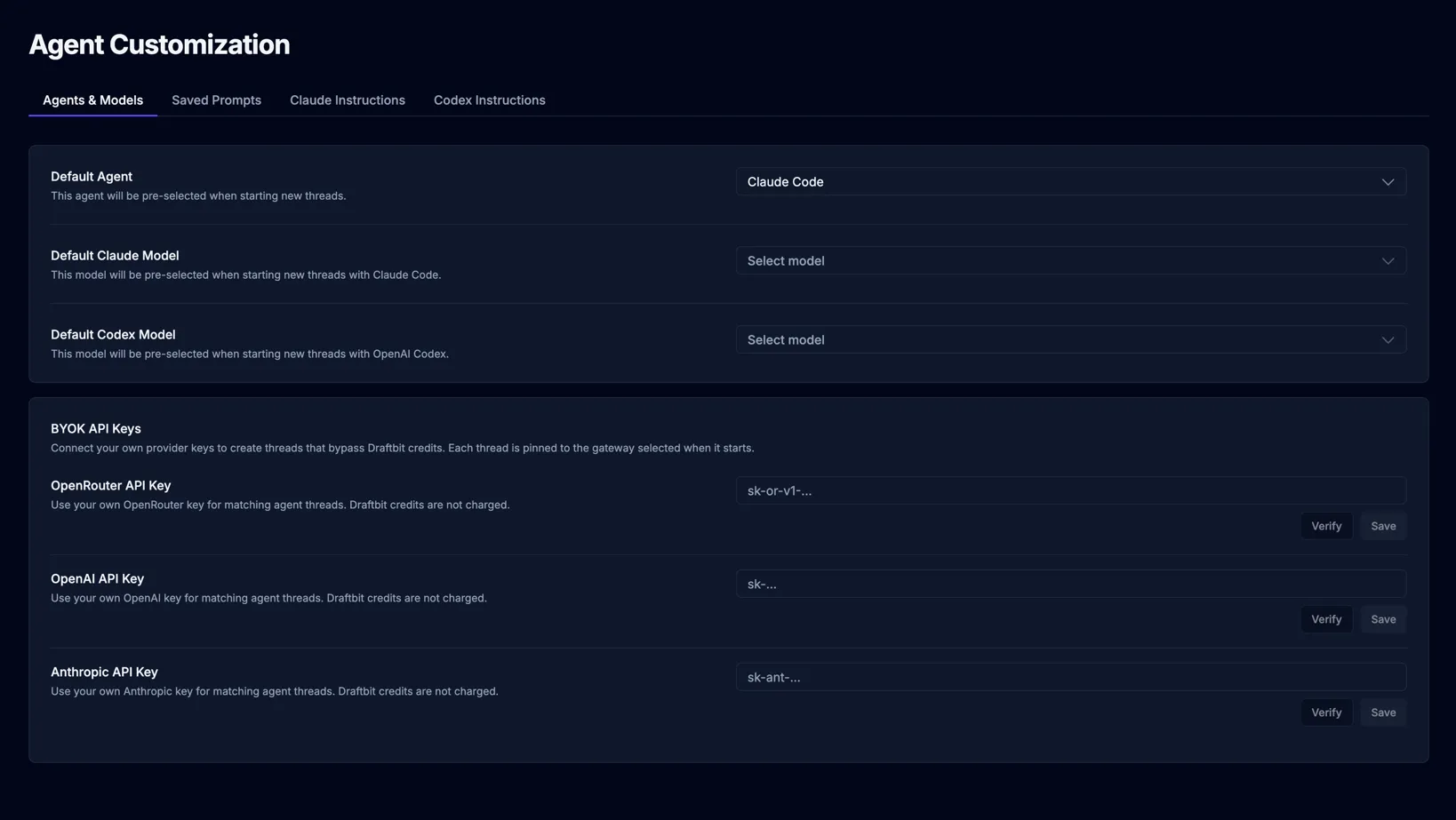
Section titled “Defaults”If you have a preferred agent, model, and AI gateway combination you like to work with, you can set it as the default here. These defaults are automatically selected when starting a new chat thread. You can always change them when sending a new message in the AI Chat tab.
| Name | Description |
|---|---|
| Agent | The agent that will be automatically selected for new chat threads. |
| Claude Model | The Claude model automatically selected when using the Claude agent. |
| Codex Model | The OpenAI Codex model automatically selected when using the Codex agent. |
| AI Gateway | The billing path or provider used for new threads, such as Draftbit credits, OpenRouter, OpenAI, Anthropic, or a connected subscription. |
Bring Your Own Key or Subscription
Section titled “Bring Your Own Key or Subscription”Agent Config is also where you connect your own AI provider access.
Supported options include:
- OpenRouter API keys
- OpenAI API keys
- Anthropic API keys
- OpenAI subscriptions
- Claude subscriptions
- Codex subscriptions
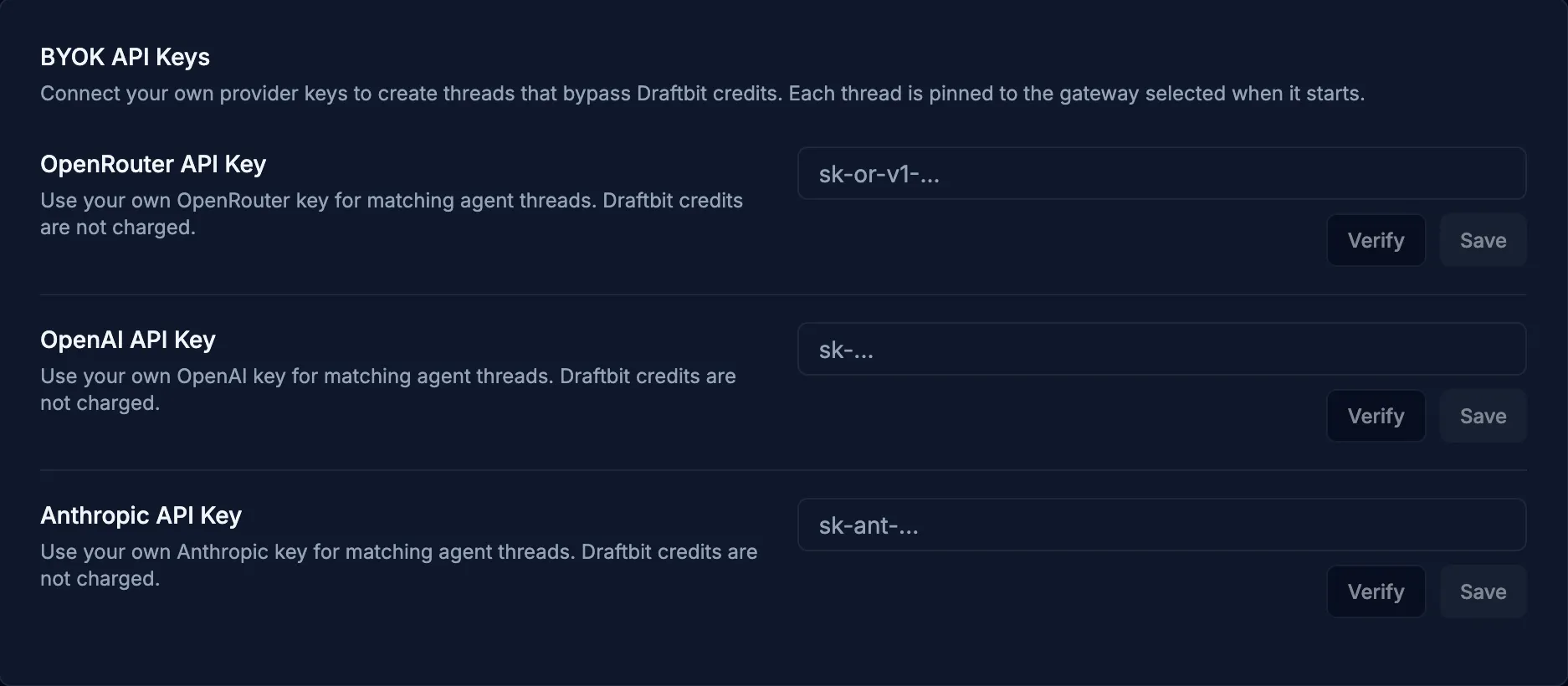
Threads that use your own key or subscription run through that provider instead of consuming Draftbit credits. Draftbit shows the selected provider in chat and thread history so you can tell which billing path a thread is using.
If a connected key or subscription hits its usage limit, the chat shows a provider-specific recovery message instead of a generic agent failure.
Provider Keys (BYOK)
Section titled “Provider Keys (BYOK)”You can connect your own AI provider API keys and have agent runs route directly to that provider instead of through Draftbit credits. This is available on every plan, including Free.
Supported providers
Section titled “Supported providers”| Provider | Where to create a key |
|---|---|
| OpenAI | platform.openai.com/api-keys |
| Anthropic | console.anthropic.com/settings/keys |
| OpenRouter | openrouter.ai/settings/keys |
How it works
Section titled “How it works”- Connect a key under Defaults → Provider Keys. Once connected, the corresponding models can be selected as your default or chosen ad‑hoc when sending a message.
- Threads using your key route directly to the provider and bypass Draftbit credits entirely. You’ll see provider labels in chat and in your thread history so it’s always clear where a request is going.
- You can still mix Draftbit‑credit threads and BYOK threads in the same project — the provider used is recorded per‑thread.
- Rate limits and model availability are governed by your provider account, not Draftbit. If a request fails because of provider limits or expired keys, the error surfaces inline in the chat.
For more on how this affects billing, see Credits and Using Credits Efficiently.
Saved Prompts
Section titled “Saved Prompts”Switch to Saved Prompts view using the
tab.
Saved Prompts are reusable prompts that you can use when sending a message to the agent. They can be used to set the context for the agent’s response or to provide additional instructions for the agent to follow.
Creating a New Prompt
Section titled “Creating a New Prompt”Create a new prompt by clicking the  button.
| Input | Description |
|---|---|
| Name | The name of the prompt. |
| Prompt | Description of the prompt. |
Fill in the details for the prompt and click the  button.
Editing a Prompt
Section titled “Editing a Prompt”Edit a saved prompt by clicking the  button.
| Input | Description |
|---|---|
| Name | The name of the prompt. |
| Prompt | Description of the prompt. |
Fill in the details for the prompt and click the  button.
Deleting a Prompt
Section titled “Deleting a Prompt”Delete a saved prompt by clicking the  button.
Using a Saved Prompt
Section titled “Using a Saved Prompt”You can use a saved prompt by clicking the  button in the AI Chat tab.
Agent Instructions
Section titled “Agent Instructions”You can customize the system prompt that Draftbit attaches to each agent when it starts a new chat thread. This is useful for telling the agent about your project’s tech stack, conventions, and key files.
Each agent has its own dedicated instructions file:
| Agent | File | What it controls |
|---|---|---|
| Claude | CLAUDE.md | System prompt added to every Claude Code agent thread. |
| Codex | AGENTS.md | System prompt added to every OpenAI Codex agent thread. |
Open the file for the agent you want to configure, edit it inline, and save. The instructions take effect on the next thread that agent starts. The Instructions Agent sidebar on this page can also help you draft and refine these files conversationally.
Best practices
Section titled “Best practices”- Focus on providing details the agents need to know about the tech stack, conventions, and key files of your project.
- Set any conventions or rules you want the agents to follow, for example “always use the existing component library before creating new components”.
- Don’t include future plans or ideas for the project. This is just base knowledge.
- Provide only the critical details and aspects of your project. Adding too much information can overwhelm and slow down the agent’s performance, while also driving up cost of each request. Experiment to find the right balance.