

Integrations
Switch to Integrations view using the
icon in the main menu.
Integrations allow you to connect your app and AI agent to third-party services like Supabase, REST APIs, GraphQL APIs, Canva, Xano, Linear, RevenueCat, and more.
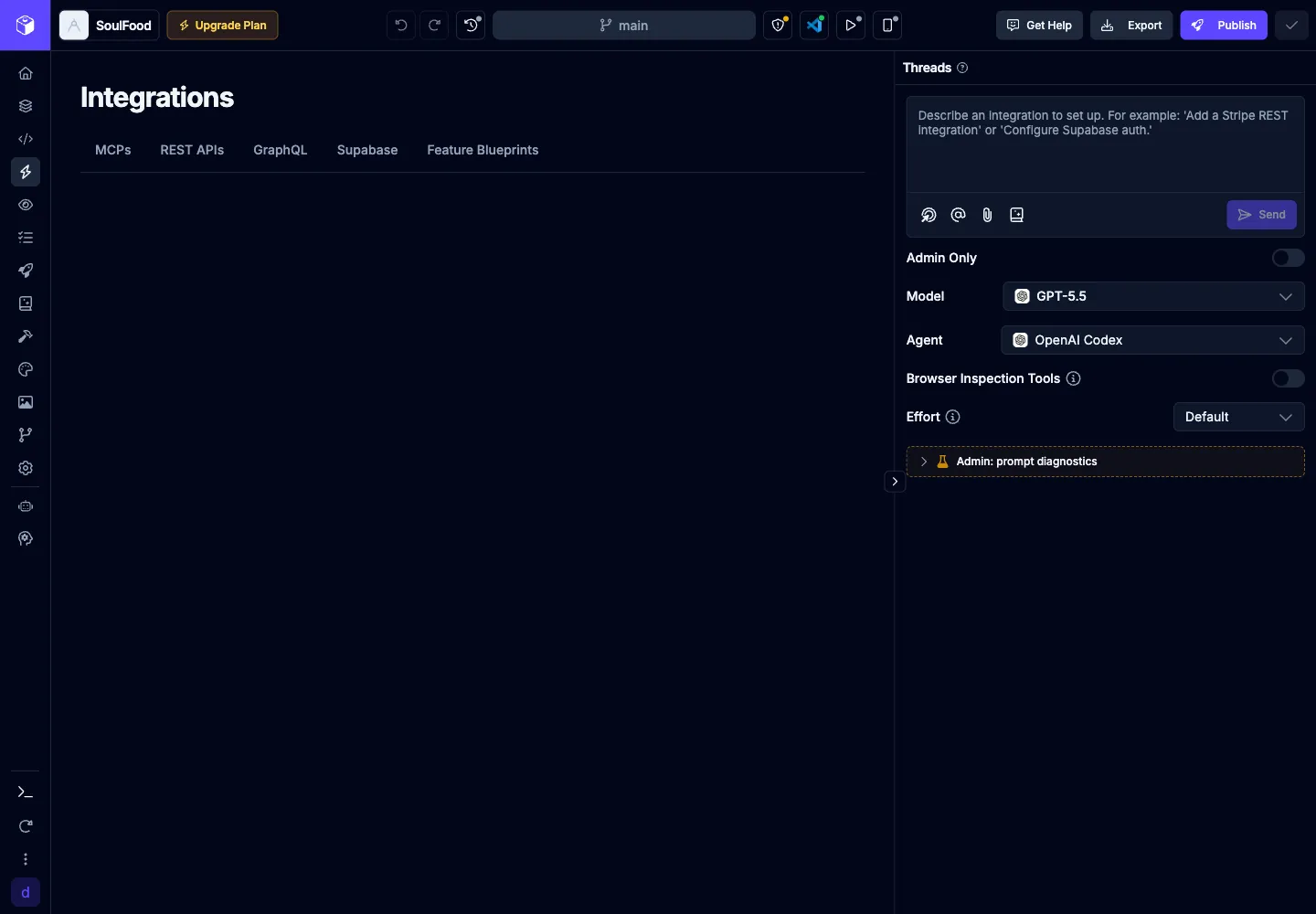
The Integrations page is organized into tabs:
| Tab | Purpose |
|---|---|
| MCPs | Connect agent tools such as Supabase MCP, Xano, Linear, Canva, Sentry, and custom MCP servers. |
| REST APIs | Add REST API sources from the catalog, import OpenAPI specs, or manage custom REST services. |
| GraphQL | Import a GraphQL schema, add catalog GraphQL services, and manage generated or custom operations. |
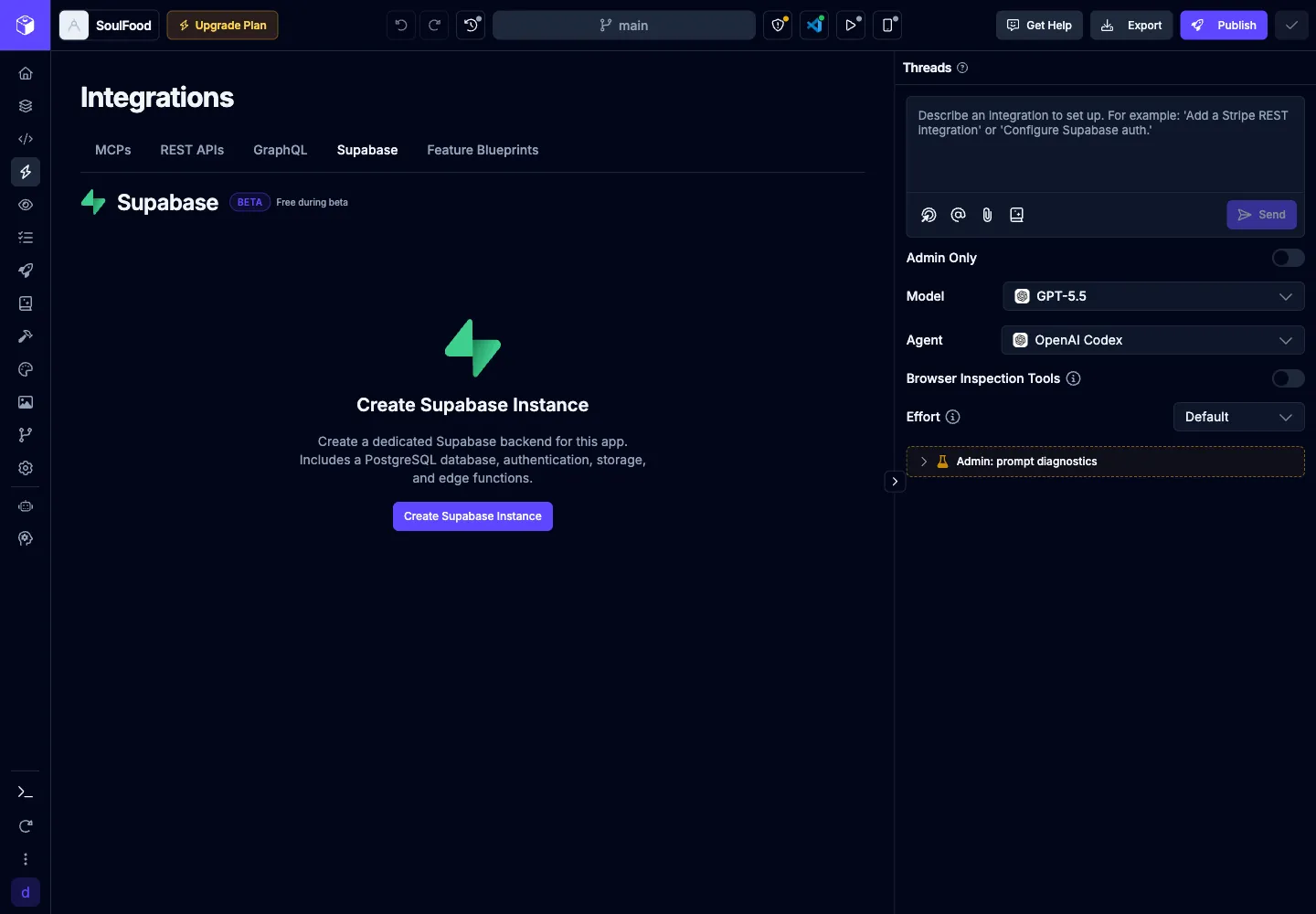
| Supabase | Create and manage a Draftbit-provisioned Supabase backend for the app. |
Supabase Backend
Section titled “Supabase Backend”Supabase is available as an open-beta backend for Draftbit apps. You can connect Supabase from the Supabase tab in Integrations or during app creation, then let the AI agent help create and manage database tables, authentication, storage, and related app code.
When a Supabase backend is connected, Draftbit can work with separate preview and production branches. The preview branch is the default branch the AI agent uses while building so schema changes and test data are available immediately in the Builder.
If Supabase is not connected, editors see Create Supabase Instance. While setup is running, Draftbit shows Setting up your Supabase instance…. Once active, the tab shows the project ref, dashboard, and project actions such as deleting the Draftbit-provisioned project.
REST APIs
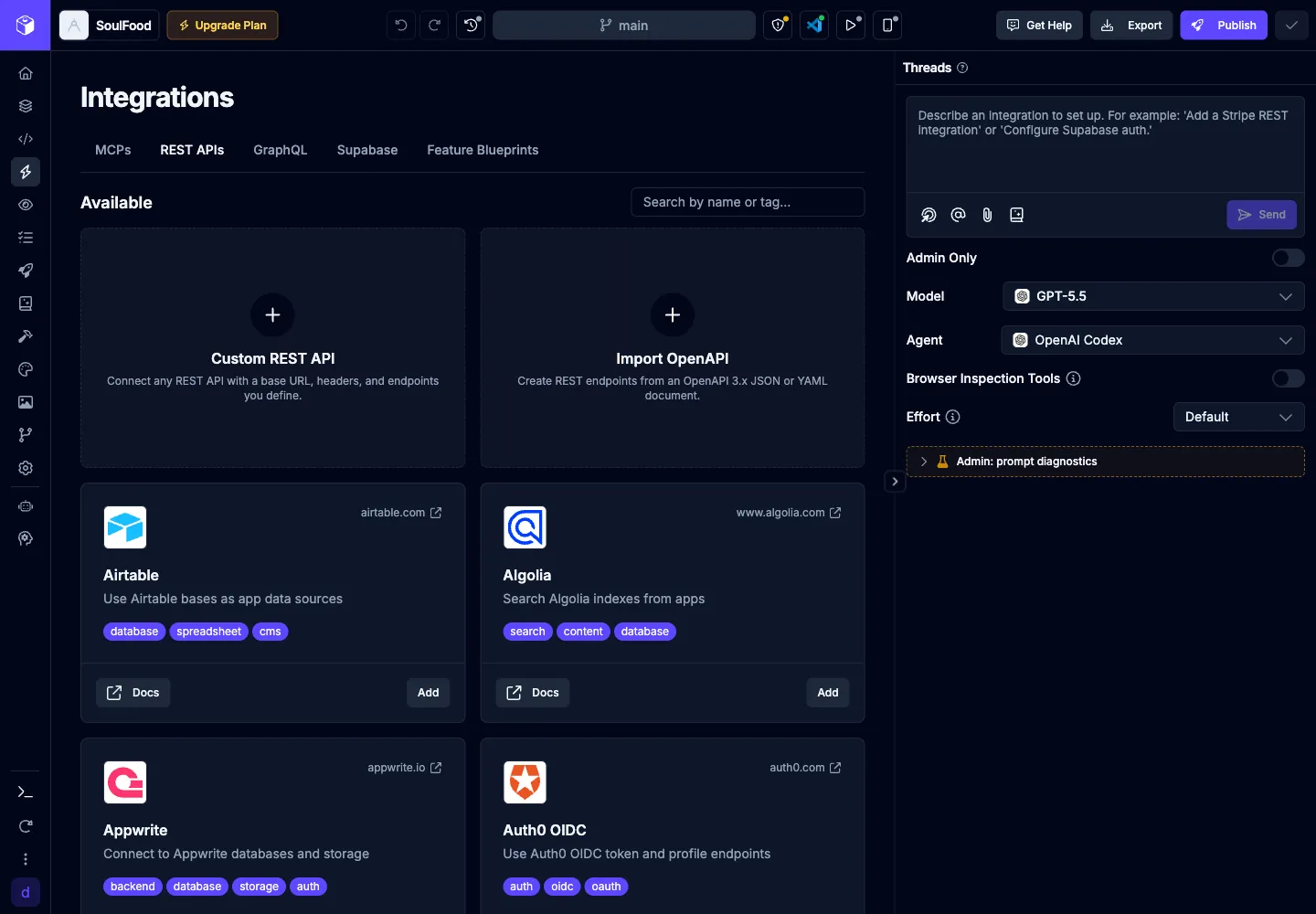
Section titled “REST APIs”The REST APIs area lets app editors add and manage REST API services. Use it to connect preconfigured services from the catalog, import an OpenAPI spec, or configure your own API source.
The REST catalog includes search so you can quickly filter available services by name or tag. Editors can add, edit, test, and import sources; viewers can browse available configuration without changing it.
Apps imported from Draftbit Classic may include legacy REST API services. You can delete those legacy services from the REST APIs tab or the service detail page after confirming the deletion.
GraphQL APIs
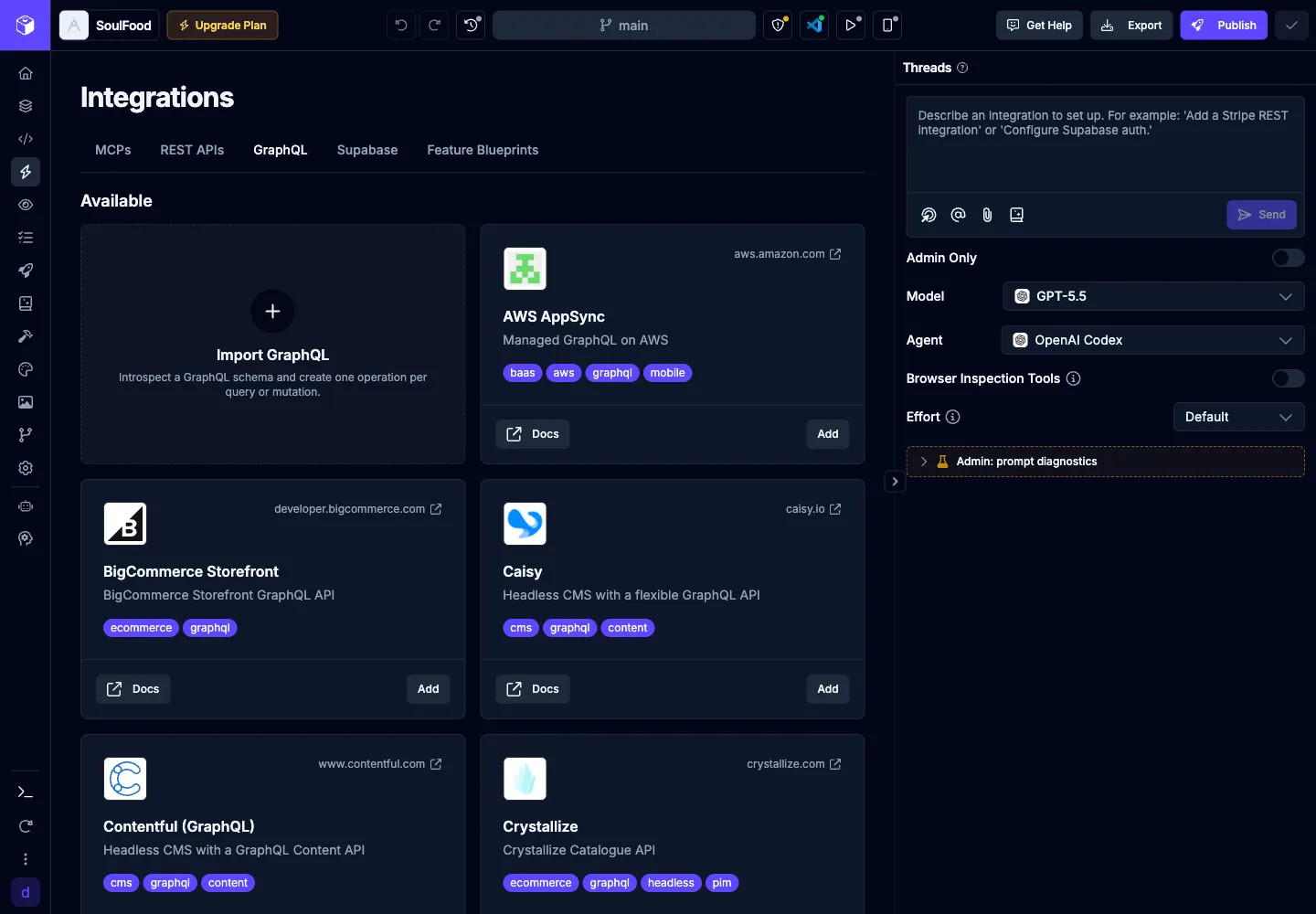
Section titled “GraphQL APIs”The GraphQL area lets you connect GraphQL endpoints and import operations for the agent and app to use.
You can:
- use Import GraphQL to introspect a schema and create one operation per query or mutation
- add services from the GraphQL marketplace
- test GraphQL endpoints before saving changes
- add custom operations alongside introspected operations
- reimport schemas without losing custom operations
Draftbit includes a catalog of common GraphQL services, including Supabase GraphQL, Hasura, AWS AppSync, Contentful, Hygraph, DatoCMS, Storyblok, Sanity, Strapi, Shopify Storefront, Saleor, and The Graph.
The Integrations page has three tabs:
- MCP – connect the AI Agent to a third-party service via the Model Context Protocol so it can manage that service for you.
- REST APIs – connect any REST endpoint and have the agent call it as a tool.
- GraphQL APIs – connect any GraphQL endpoint and expose its schema to the agent as tools.
Some services (like Supabase, Xano, and Directus) appear in multiple tabs. Use the MCP connector when you want the agent to manage the full lifecycle of the service (create tables, deploy functions, etc.). Use the REST or GraphQL connector when you just want to expose specific endpoints from a backend you already own to the agent and your app.
REST API Connectors
Section titled “REST API Connectors”REST API Connectors let you connect any REST service to your app and expose its endpoints to the AI Agent as tools. Once a service is connected, you can ask the agent to call those endpoints in natural language — for example, “fetch the user’s orders and render them in a list” — without writing the request code yourself.
The REST APIs tab uses a two-column layout: the list of services and endpoints on the left, with configuration and a live request tester on the right. Each REST service also has its own Integrations Agent sidebar you can use to add or refine endpoints conversationally.
One-click services
Section titled “One-click services”Draftbit ships preconfigured connectors for popular REST services. Pick one of these and you only need to drop in your credentials:
- Webflow
- Bubble
- WordPress
- Shopify
- Xano
- Supabase
- Directus
- Sanity
- Zapier
Custom REST API
Section titled “Custom REST API”If your service isn’t in the one-click list, choose Custom REST API. You’ll provide:
| Field | Description |
|---|---|
| Base URL | The root URL for the API (e.g. https://api.example.com). |
| Authentication | API key, bearer token, or custom header(s) used to authorize requests. |
| Endpoints | The individual paths and methods you want to expose to the agent. |
You can add endpoints by hand, or describe what you need in the Integrations Agent sidebar and let it scaffold them for you.
How endpoints become agent tools
Section titled “How endpoints become agent tools”Every connected endpoint is automatically exposed to your agents as a tool. The agent can decide when to call it based on your prompts and the endpoint’s name and description. Use clear, action-oriented endpoint names (“Get current user”, “Create order”) and short descriptions to get the best results.
GraphQL API Connectors
Section titled “GraphQL API Connectors”GraphQL API Connectors work like REST connectors, but for GraphQL endpoints. You connect a GraphQL service once, and Draftbit reads its schema so the AI Agent can issue queries and mutations as tools.
Connecting a GraphQL service
Section titled “Connecting a GraphQL service”| Field | Description |
|---|---|
| Endpoint URL | The GraphQL endpoint, typically ending in /graphql. |
| Authentication | API key, bearer token, or custom header(s) used to authorize requests. |
| Operations | The queries and mutations you want to expose to the agent. |
How operations become agent tools
Section titled “How operations become agent tools”Once connected, each query and mutation you select is exposed to the agent as a callable tool. The agent uses the schema to validate arguments and return types, so it can compose multi-step calls (e.g. fetch related records before mutating) without you wiring those steps together.
Like REST, each GraphQL service has its own Integrations Agent sidebar for conversational tool authoring.
MCP Integrations
Section titled “MCP Integrations”MCP Integrations let you connect the AI Agent to third-party services using the Model Context Protocol. Unlike REST and GraphQL connectors — which expose individual endpoints — an MCP connector lets the agent manage the third-party service itself (create tables, deploy functions, configure subscriptions, and so on).
For most services, you will simply be prompted to sign in to the service and grant access to Draftbit to allow the AI Agent to access these services. For some services, you may need to provide additional credentials or API keys.
Supabase
Section titled “Supabase”Supabase is a open-source backend-as-a-service platform that provides authentication, database, storage, and real-time capabilities for your app.
Authenticating
Section titled “Authenticating”The Supabase MCP connector is authenticated using your Supabase account. When you click the Add & Verify button, you will be redirected to the Supabase website to sign in and grant access to Draftbit.
Once you have signed in and granted access, you will be redirected back to Draftbit and the Supabase MCP connector will be added to your app.
The Supabase integration allows the AI Agent to:
- Create and manage tables in your Supabase database
- Insert, update, and delete data in your Supabase database
- Query your Supabase database
- Store and access files in your Supabase Storage
- Subscribe to real-time updates from your Supabase database
- Set up user authentication and authorization
- Create edge functions to handle business logic
Read more about the Supabase MCP in their docs
Xano is a no-code/low-code backend-as-a-service platform that lets you model data, build APIs, and handle business logic without managing servers.
Authenticating
Section titled “Authenticating”The Xano MCP connector requires:
- Server URL: The Streaming Connection URL from your Xano MCP server
- Auth Key: Your Xano access token for that MCP server
Important: When copying your connection URL from Xano, make sure to use the Streaming Connection URL — not the “Instance API” URL. These are two different options in Xano’s interface and only the Streaming Connection URL is supported.
Xano’s Connecting Clients guide refers to these values as the server URL and Token.
Troubleshooting
Section titled “Troubleshooting”Proxy errors on connection If you see a proxy error when connecting, check that Realtime resources are enabled on your Xano instance. This setting is disabled by default on some Xano plans and must be turned on for the MCP connection to work. You can enable it in your Xano instance settings.
The Xano integration allows the AI Agent to:
- Create and manage data models in your Xano database
- Build and deploy APIs in your Xano workspace
- Query your Xano database
- Store and access files in your Xano Storage
- Subscribe to real-time updates from your Xano database
- Set up user authentication and authorization
- Create edge functions to handle business logic
Read more about the Xano MCP in their overview and client connection docs.
Directus
Section titled “Directus”Directus is a open-source backend-as-a-service platform that provides authentication, database, storage, and real-time capabilities for your app.
Authenticating
Section titled “Authenticating”The Directus MCP connector requires:
- Server URL: Your Directus instance URL
- Auth Key: Your Directus access token
Directus’ MCP docs describe this setup as connecting your AI tool to the Directus MCP server using your instance URL and an access token.
The Directus integration allows the AI Agent to:
- Create and manage tables in your Directus database
- Insert, update, and delete data in your Directus database
- Query your Directus database
- Store and access files in your Directus Storage
- Subscribe to real-time updates from your Directus database
- Set up user authentication and authorization
- Create workflows to handle business logic
Read more about the Directus MCP in their docs.
Linear
Section titled “Linear”Linear is a project management platform that lets you track your work and collaborate with your team.
Authenticating
Section titled “Authenticating”The Linear MCP connector is authenticated using your Linear account. When you click the Add & Verify button, you will be redirected to the Linear website to sign in and grant access to Draftbit.
Once you have signed in and granted access, you will be redirected back to Draftbit and the Linear MCP connector will be added to your app.
The Linear integration allows the AI Agent to:
- Create and manage projects and issues
- Work on specific issues in your Linear workspace
Read more about the Linear MCP in their docs.
RevenueCat
Section titled “RevenueCat”RevenueCat is a subscription management platform that lets you manage your app’s subscriptions and revenue.
The RevenueCat integration allows the AI Agent to:
- Integrate subscription billing and in-app purchases into your app
- Create and manage subscriptions and products
- Manage subscription status and renewals
Read more about the RevenueCat MCP in their docs.
Stripe
Section titled “Stripe”Stripe is a payment processing platform that lets you accept payments from your customers.
The Stripe integration allows the AI Agent to:
- Integrate payment processing into your app
- Create and manage products and prices
Read more about the Stripe MCP in their docs.
Sentry
Section titled “Sentry”Sentry is a error tracking platform that lets you track and fix errors in your app.
Authenticating
Section titled “Authenticating”The Sentry MCP connector is authenticated using your Sentry account. When you click the Add & Verify button, you will be redirected to the Sentry website to sign in and grant access to Draftbit.
Once you have signed in and granted access, you will be redirected back to Draftbit and the Sentry MCP connector will be added to your app.
The Sentry integration allows the AI Agent to:
- Track errors in your app
- Fix errors in your app
Read more about the Sentry MCP in their docs.
Cloudflare
Section titled “Cloudflare”Cloudflare provides DNS, edge compute (Workers), object/key‑value storage (R2, KV), serverless databases (D1), and other infrastructure services.
Authenticating
Section titled “Authenticating”The Cloudflare MCP connector is authenticated using your Cloudflare account. When you click the Add & Verify button, you will be redirected to the Cloudflare website to sign in and grant access to Draftbit.
The Cloudflare integration allows the AI Agent to:
- Manage DNS records and zones for your domains
- Create and deploy Workers
- Read and write data in KV, R2, and D1
- Configure caching, security, and routing rules
Read more about Cloudflare’s MCP servers in their docs.
HighLevel
Section titled “HighLevel”HighLevel (also known as GoHighLevel) is a CRM and marketing automation platform that lets you manage contacts, pipelines, campaigns, and workflows.
Authenticating
Section titled “Authenticating”The HighLevel MCP connector is authenticated using your HighLevel account. When you click the Add & Verify button, you will be redirected to HighLevel to sign in and grant access to Draftbit.
The HighLevel integration allows the AI Agent to:
- Read and update contacts and opportunities
- Trigger and manage automation workflows
- Create and update calendar events and appointments
- Send messages through configured channels
Read more about the HighLevel MCP in their docs.
Custom MCP
Section titled “Custom MCP”There are thousands of MCP servers out there for all kinds of services and purposes. Using the Custom MCP connector, you can connect the agent to almost any of them.
| Name | Description |
|---|---|
| Server URL | The URL of the MCP server you want to connect |
| Authentication Type | Choose the authentication type for the MCP server:
|
| Custom Headers | Set the custom headers for the MCP server:
|
| Use Cache | Choose whether to enable caching for the MCP server:
|
Use the Canva integration to import a Canva design into Draftbit. After connecting Canva, choose a design from the searchable thumbnail picker. Draftbit starts a new AI thread that converts the selected design into React Native screens.
Firebase (Coming Soon)
Section titled “Firebase (Coming Soon)”Firebase is a backend-as-a-service platform that provides authentication, database, storage, and real-time capabilities for your app.
The Firebase integration allows the AI Agent to:
- Integrate authentication into your app
- Integrate database into your app
- Integrate storage into your app
- Integrate real-time capabilities into your app
- and more!
Figma is a design tool that lets you create and collaborate on designs.
The Figma integration allows the AI Agent to:
- Create and manage designs in your Figma project
- Create and manage components in your Figma project
- Create and manage styles in your Figma project
- and more!