

Build Config
Open Build Config from the Builder navigation. Older docs, screenshots, or app versions may still refer to this area as Environments.
Build Config is where you manage the settings that affect how your app is built and how the AI agent works with your project dependencies. It brings Packages, Environment Variables, and legacy Variables for imported apps into one place.
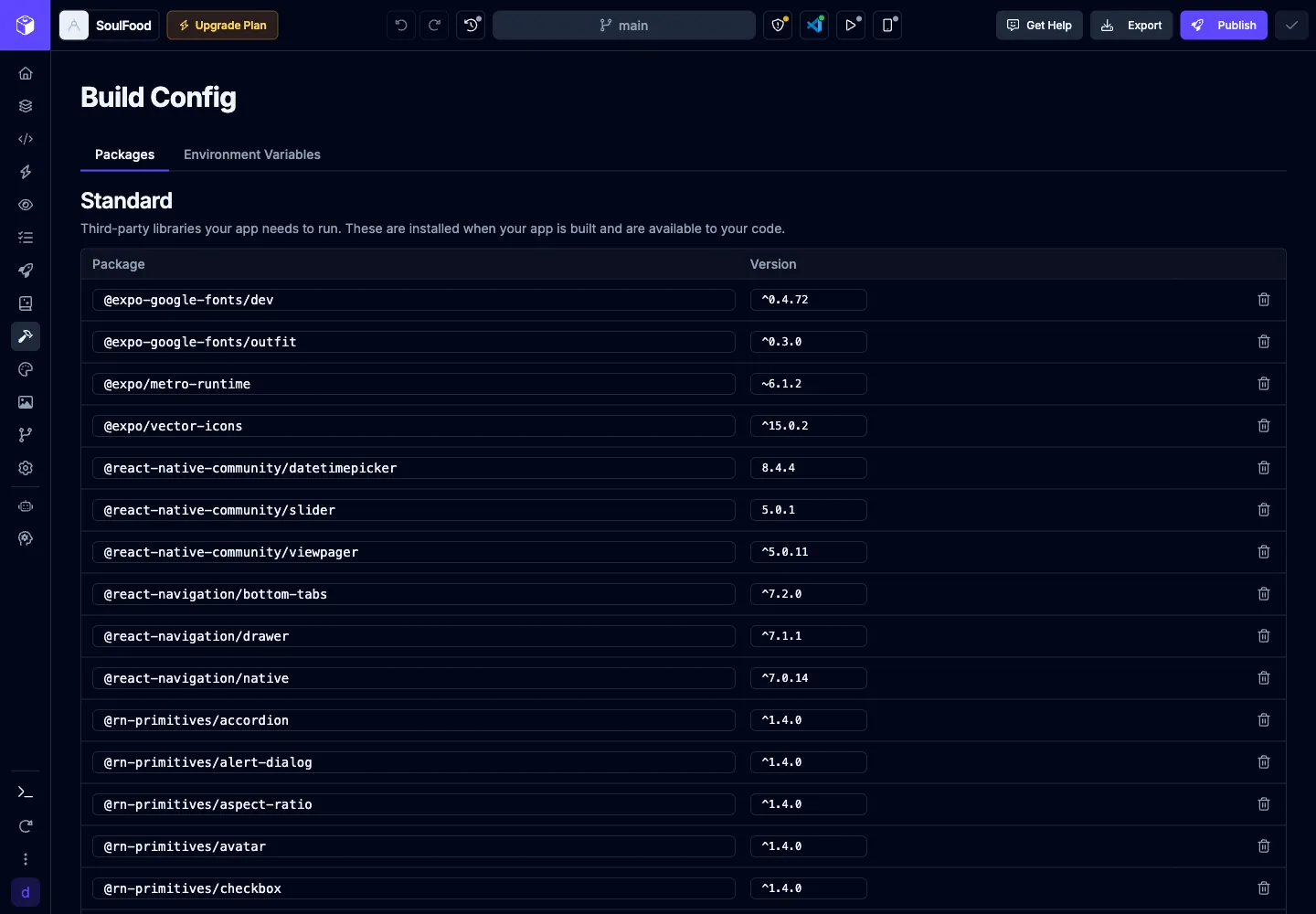
Build Config includes these tabs:
| Tab | Purpose |
|---|---|
| Packages | Edit dependencies and devDependencies from your app’s package.json. |
| Environment Variables | Add and manage variables for development, staging, and production. |
| Variables | Edit legacy global variables for apps imported from Draftbit Classic. This tab only appears for imported apps that use those variables. |
Packages
Section titled “Packages”The Packages tab lets you edit your app’s npm dependencies without opening package.json manually.
It has two sections:
| Section | Description |
|---|---|
| Standard | Third-party libraries your app needs to run. These are installed when your app is built and are available to your code. |
| Development | Libraries used during development that are not shipped with production versions of your app. |
For each package, you can edit the package name or version inline, remove the package, or add a new row with a package name and version.
Environment Variables
Section titled “Environment Variables”Environment variables are key-value pairs that store configuration outside of your source code. Use them for API URLs, public configuration, feature flags, app identifiers, and sensitive values that should not be committed to your repository.
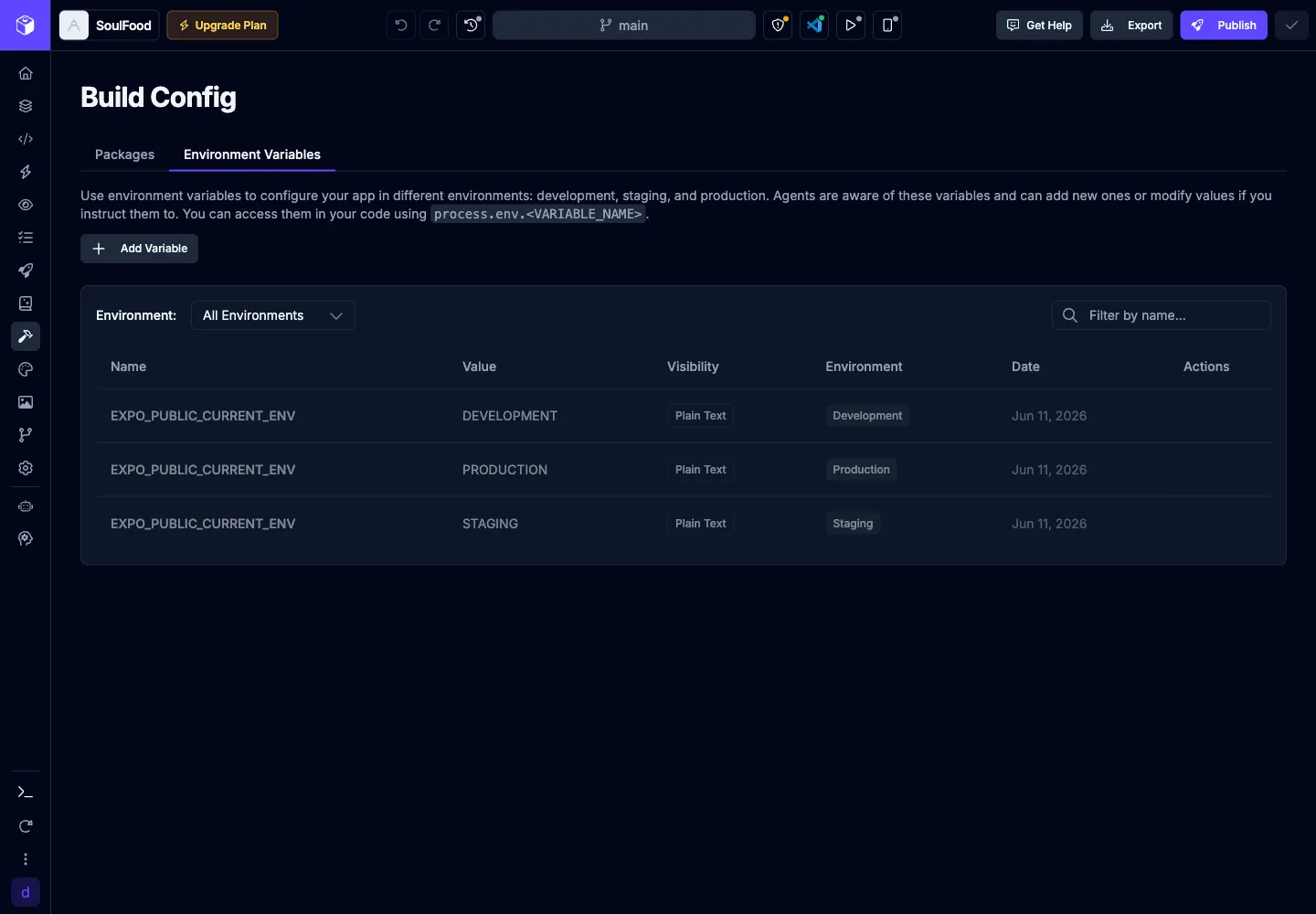
Click the  button to add a new variable.
| Field | Description |
|---|---|
| Name | The variable name used in code, such as EXPO_PUBLIC_API_BASE_URL. Plain text variables used by Expo apps must use the EXPO_PUBLIC_ prefix. |
| Value | The value Draftbit injects for the selected environments. |
| Visibility | Controls whether the value is plain text or sensitive. Use sensitive values for secrets, API keys, and tokens that should not be included in compiled app code. |
| Environments | Select where the variable is available, such as development, staging, or production. |
Environment variables are commonly used to:
- store public API base URLs that differ between development, staging, and production
- keep service configuration out of source files
- provide feature flags or build-time settings
- configure backend clients such as Supabase, REST APIs, or GraphQL APIs
- provide private values to build configuration files without exposing them in app code
Visibility
Section titled “Visibility”Environment variables support two visibility levels:
| Visibility | Description |
|---|---|
| Plain text | Available to app code and visible in compiled code. Use this only for public configuration values, such as public API URLs or non-secret feature flags. In Expo apps, plain text variables used at runtime must use the EXPO_PUBLIC_ prefix. |
| Sensitive | Hidden from app runtime code and compiled app bundles. Use this for API keys, service tokens, passwords, and other private values that should only be available to build or configuration files. |
Using variables in code
Section titled “Using variables in code”Reference environment variables in code with process.env.VARIABLE_NAME.
For example:
const apiBaseUrl = process.env.EXPO_PUBLIC_API_BASE_URL;
fetch(`${apiBaseUrl}/users`);
Variable names are case-sensitive. If you expect a value to be available in runtime app code, make sure the variable is plain text and uses the EXPO_PUBLIC_ prefix required by Expo.
Sensitive variables are best for build-time configuration and should not be used for values your app needs to read at runtime.
Using variables with the AI agent
Section titled “Using variables with the AI agent”The AI agent can use Build Config values while it works in the sandbox. Mention the exact variable name when you want the agent to use an existing value instead of hardcoding it.
For example:
- “Use
EXPO_PUBLIC_API_BASE_URLfor all API requests.” - “Initialize Supabase using
EXPO_PUBLIC_SUPABASE_URLandEXPO_PUBLIC_SUPABASE_KEY.” - “Use the staging value for this integration while testing.”
Legacy Variables
Section titled “Legacy Variables”Apps imported from Draftbit Classic may include legacy global variables. Build Config gives those apps a Variables tab to review and edit the imported runtime values across environments without hand-editing the generated files.
AI Agent Access
Section titled “AI Agent Access”The AI agent can use your app’s environment variables while running commands in the sandbox. This helps it run CLIs and tooling that depend on project-specific keys or service configuration.
When you ask the agent to integrate a backend or package, mention which Build Config values it should use so it does not hardcode credentials into your app files.